Many websites have different ways to handle information. You'd just have to play around to find out how to read the information to use for mIRC.
You will need to open a socket to the website...
alias webread {
  sockclose webread
  sockopen webread www.mainwebaddresshere.com 80
}
You will need a sockopen event
on *:sockopen:webread: {
  var %s = $sockname , %ip = $sock($sockname).ip , %port = $sock($sockname).port
  if ($sockerr > 0) { sockclose %s | sockopen %s %ip %port }
  sockwrite %s GET /partofadressaftermainhere HTTP/1.1 $+ $crlf $+ Accept: */* $+ $crlf $+ User-Agent: whatever $+ $crlf $+ Host: www.mainwebaddresshere.com $+ $crlf $+ Connection: Close $+ $crlf $+ $crlf
  :error
}
Next you will need to retrieve information to be read...
on *:sockread:webread: {
  var %s = $sockname , %ip = $sock($sockname).ip , %port = $sock($sockname).port , %r
  if ($sockerr > 0) { sockclose %s | sockopen %s %ip %port }
  sockread -n %r
  Your own coding goes here
}
Where your own coding goes you will need your own coding to be able to read the information you want. What I usually do is have it write the information it retrieves to a text file where I then look over to see where it should read from. I then make coding to read just the information I need (use $gettoks, etc)
on *:sockread:webread: {
  var %s = $sockname , %ip = $sock($sockname).ip , %port = $sock($sockname).port , %r
  if ($sockerr > 0) { sockclose %s | sockopen %s %ip %port }
  sockread -n %r
  write $nofile($mircexe) $+ Test.txt %r
}
After you have your coding exactly as you want it you can replace the write bit with the coding you want. 
Edited Sep 5, 2009 4:12 PM by Warrior124


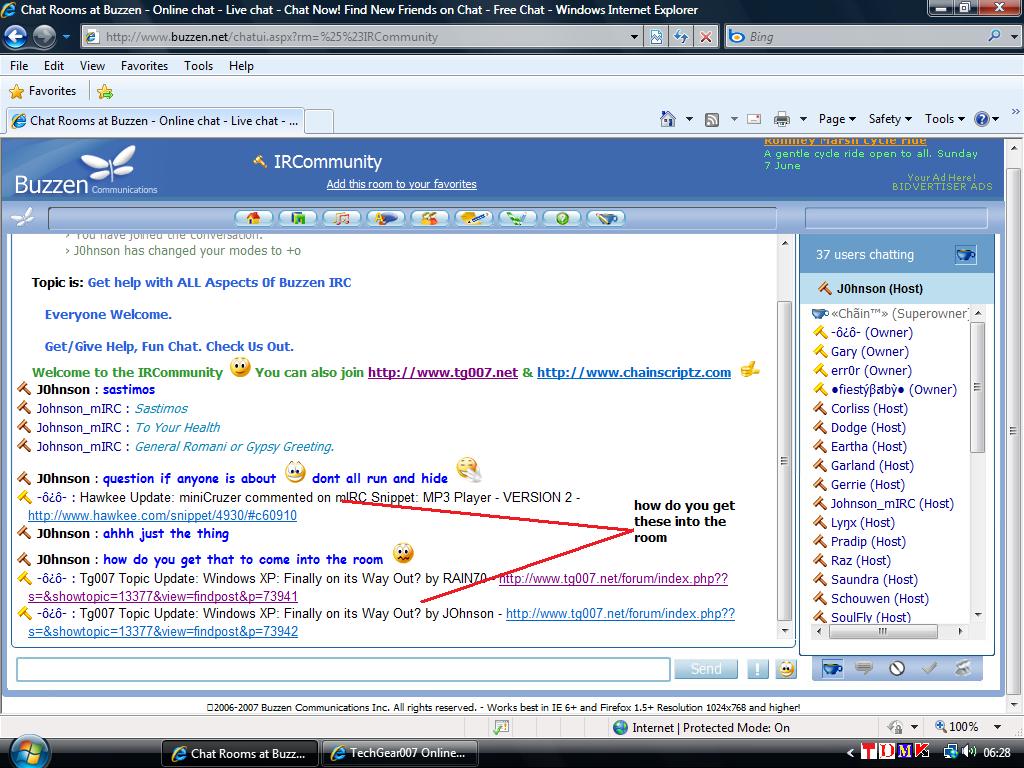
 question and the only way I can show you is via a screen shot and the other question is can anyone get this or any other website information to come into the room as the screen shot shows (and what is it called) .... as always nais tuke = thank you for any replies




 Warrior124 nais tuke = thank you ..... for the example codes iv copied and pasted them into my files and I will mess about and see if I really can do it (wish me baxt = luck)