JOhnson
I know not of what I speak Member #27,425
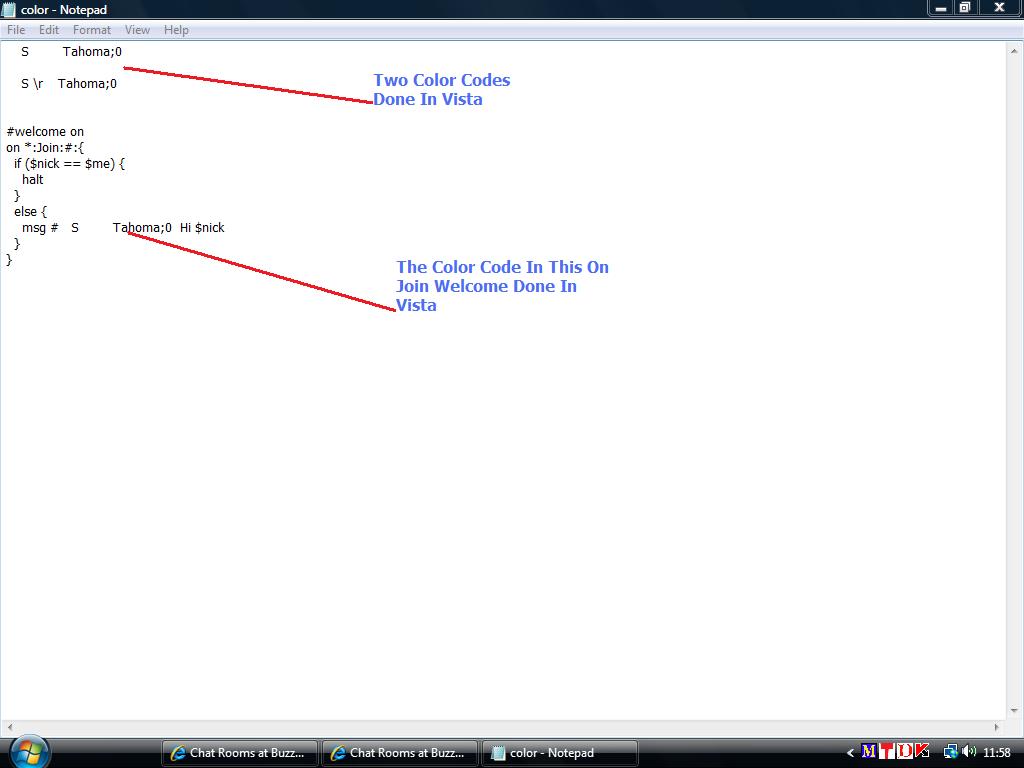
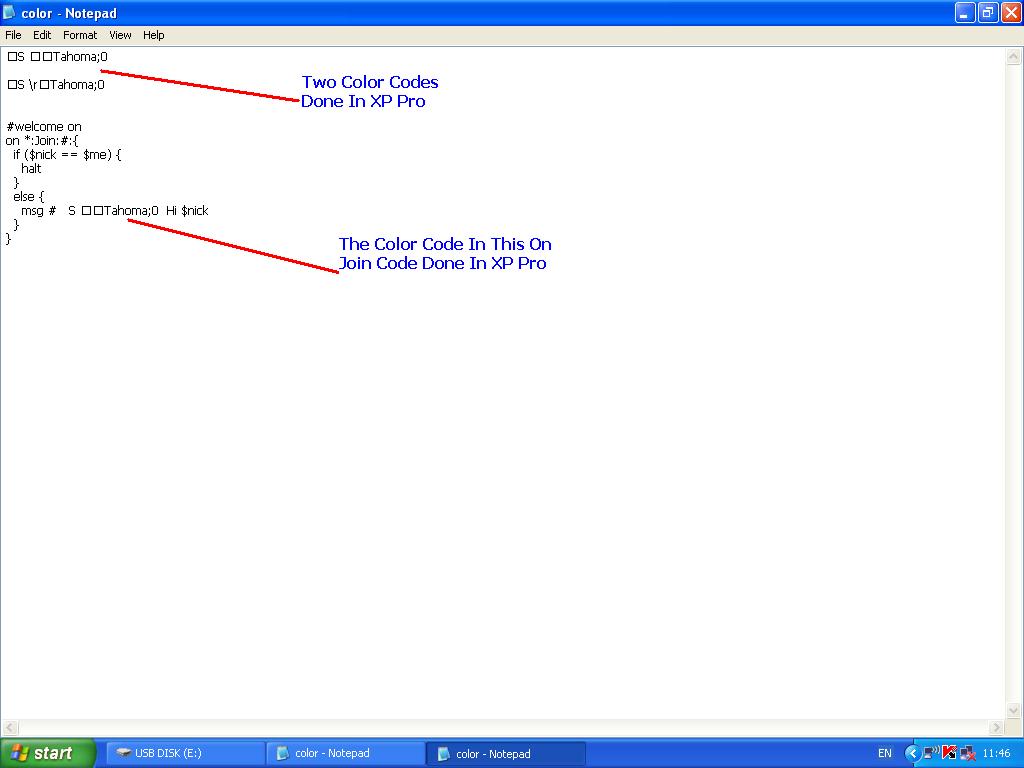
 I hope I can explain myself to the forum and get some help with this question ... let me explain what is happening via 2 screen shots ... when I put a color code i.e. S Tahoma;0 into a script that I am using in vista these disappear in the color code so when I added them to a code where im using my script in vista they do not work in vista ... take a look at the 2 screen shots ... I am using these color codes in spcn (sparkpea.net) as always nais tuke = thank you for any help on this one
Edited Sep 11, 2009 4:44 PM by JOhnson
on my mirc color codes show up as
little L's look
In Remotes

On Vista Notepad

Edited Sep 12, 2009 8:23 AM by Haggis
JOhnson, this is all you need:
on !*:join:#: {
  msg # $+($chr(3),04,Hi $nick)
}
You can use mirc $chr(3) to initiate a color code with their numbers; $chr(3) means Ctrl+k.
The ! sign in mirc indicates that it won't trigger upon your own entry if used in the on join event.
Edited Sep 12, 2009 10:37 PM by Fanfare
yeah Johnson u have broken notepad lol
Edited Sep 13, 2009 7:36 PM by Haggis