
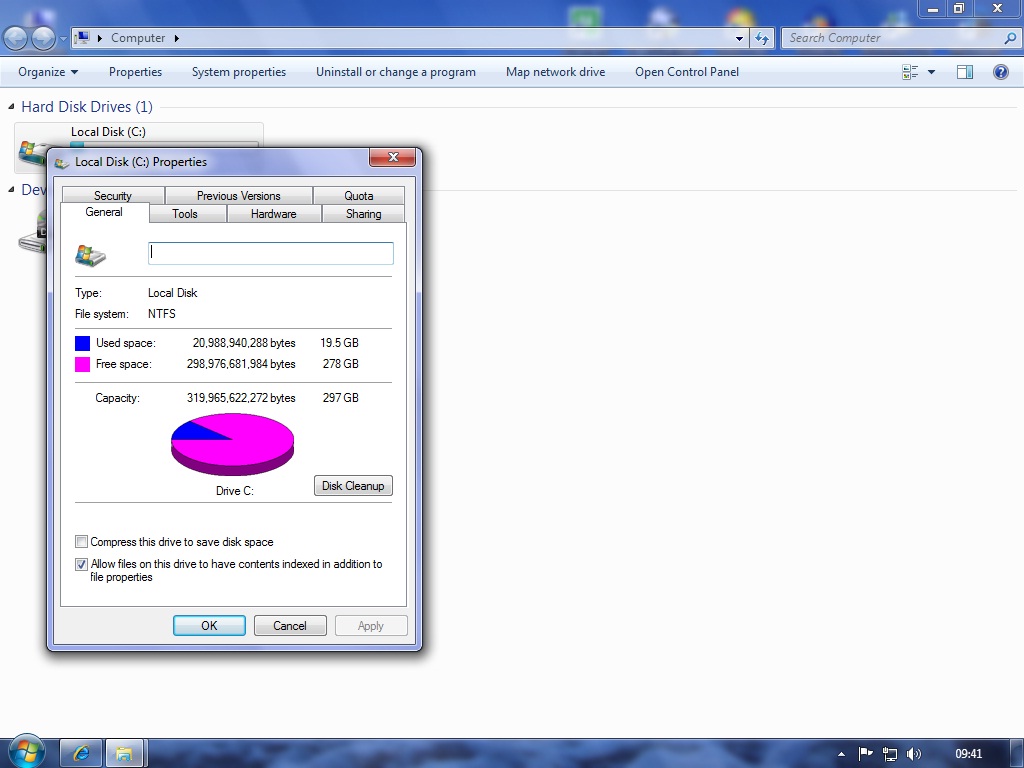
 got a question for you ... iv just put a new hard drive in my machine 320GB and when I was installing windows 7 it said you have 297GB so where has the other 23GB gone
  ... iv put a screen shot ... paracrow tute = thank you for any replies
A TG007 community discussion started by JOhnson.


It's normal that it does that , but i don't know why , maybe it's for the video cart or ram or w/e
Pomperom
no... what happens is that when they write on the harddrive, they base it off 1000 bytes = 1kB. however, the true definition (and the one microsoft uses) is 1024 bytes = 1kB. It is because it goes in powers of 2. Hence why it is 1024, and hence why you may have bought a 320gb harddrive, but windows (and pretty much all other operating systems) will tell you that it's a loss of approximately 8 to 9 percent (so in your case, a little under 300gb.
can also be affected by the size of the sectors on the drive
Spam Honeypot - http://www.haggistech.co.uk/honey(humans do not register)

also some is taken for the recycle bin and system restore in windows
My code does NOT have bugs. It just develops random features.
Go into system properties and "Delete system restore files", I had over 8gb saved within that after a week or so.
Its what I do.
Go into system properties and "Delete system restore files", I had over 8gb saved within that after a week or so.
Jagie phew you had me confused there for a while with system properties I found it in system protection / configure paracrow tute = thank you for your help because it did give me back 10GB
also some is taken for the recycle bin and system restore in windows
Ozzy if you ever get to reply to this it will be a miracle just im using windows 7 and I will know you will have it to ... so my question is "taken for the recycle bin" where do I find that mate ? as always thank you if you ever reply 
You mean like you don't know where your recycle bin is ? o;O You've got to be kidding right ?
Pomperom
Start > Accessories > system tools > Disk cleanup --- Memory stored up in system error,recycle,hibernation.  I believe its there, if not, search disk cleanup in startbar search =p
Its what I do.
Start > Accessories > system tools > Disk cleanup --- Memory stored up in system error,recycle,hibernation.
 Looking jagie
Ronan You mean like you don't know where your recycle bin is ? o;O You've got to be kidding right ?
NO Ronan where is it  ...............
no i am still on win vista
and i haven't been about as i am doing a full rebuild on my car for the nationals which start in just under 2 months
My code does NOT have bugs. It just develops random features.
Sign in to reply or start a new topic where your account has permission.