
Its very easy to implement 2 monitors. It is also very useful. Together with software such as Ultramon (used to extend the taskbar over multiple monitors) it makes work as well as play very easy.
For instance I do a lot of web development and programming work, so i'll have my IDE's open in one montior for coding, whilst browsing/testing/researching from the other monitor. It saves clutter and it also saves having to alt-tab between the IDE and Browser etc. Also at home I tend to have irc open in one monitor whilst doing everything else in the other, again meaning alt-tab isn't needed etc. Also good for running Virtual Machines etc.
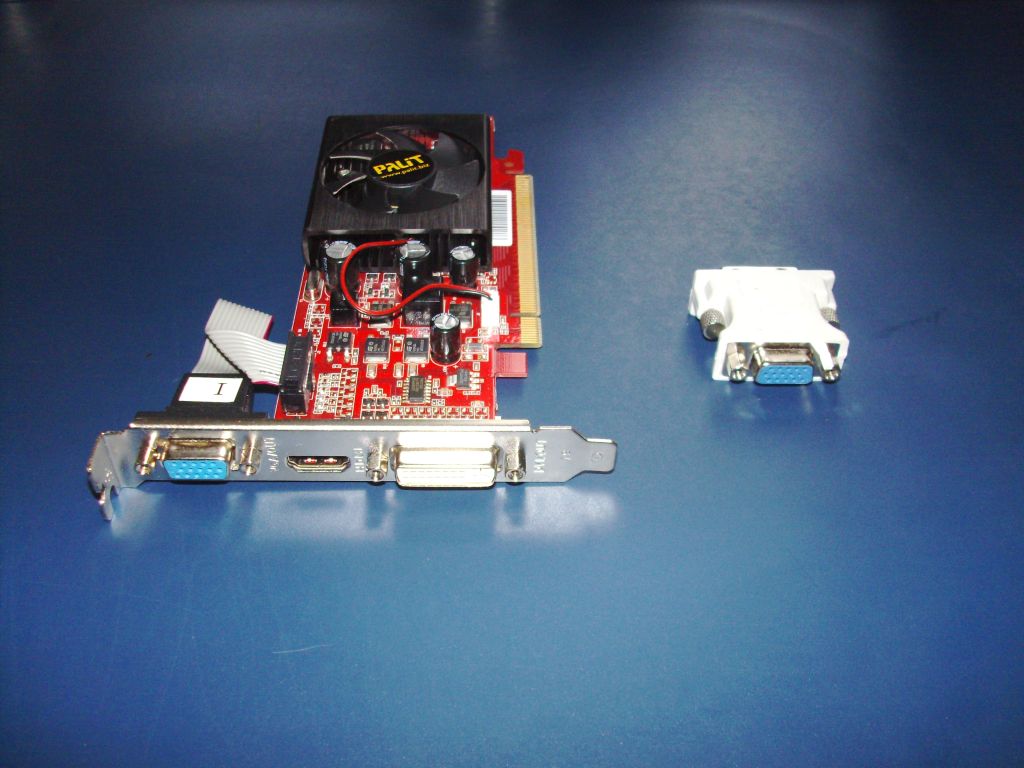
As for impletmenting, then you're going to need a graphics card or onboard graphics that allows multiple montiors. You'll find most Motherboards/Graphics cards these days are pretty much guarenteed to have this feature so that takes care of that. As for different adapters I don't really know what the story is with vga->hdmi (in terms of getting full HD out of it) so really it's up to you. MY graphics card has one DVI port and ond HDMI port, but both monitors only have VGA/DVI. So I obviously got a hdmi->dvi adapter for use and it works well.
I agree, i'm not sure i could go back to a single monitor. It makes all the things i'm involved with so much easier to do with dual monitors. setup is simple providing your video card supports it.
Get information about ircWx here
thank you both for your replies and Kingy well explained so much so I went out this morning and got me a PCI Graphics Card with VGA - DVI - & HDMI but they told me it would be easier to use the VGA and DVI ... one more question and lets hopes you will see it ... how does that Ultramon work as iv seen it advertised for $39.00 ... as always thank you for your replies ![]()
Well basically dual monitors work well out of the box except the taskbar isn't displayed on both screens. So any programs you have running over on the 2nd screen, the icon is actually placed on the taskbar on the 1st primary screen, which is a tad annoying.
So ultramon places the windows taskbar on the 2nd monitor and it basically works very well. Ultramon also has settings for wallpapers, screensaves, right click buttons which allow you to switch and scretch programs across monitors easily etc etc. It is a very handy program, although there are probably others out there..
Edit: It also has a 30day free trial, so grab it and have a play.
Sign in to reply or start a new topic where your account has permission.