Chat & Whispers
Send room messages, actions and private IRCWX whispers, and use the people-list controls without worrying about protocol details.
Send a room message
Click the message input at the bottom of the room, type your message and press Enter. ircWx-Conn takes care of the IRCWX connection behind the scenes.
Actions
Use /me when you want an action instead of a normal sentence:
/me waves helloThe room sees an action using your nickname rather than a normal message line.
Private IRCWX whispers
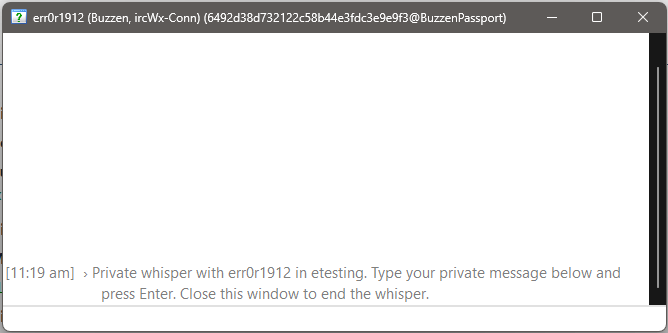
IRCWX whispers are room-scoped private conversations. The easiest way to start one is to double-click a nickname or right-click the nickname and choose Whisper (Private Message).
- Open the people list for the room where the person is present.
- Right-click the person and choose Whisper (Private Message).
- Type in the whisper window and press Enter.
- Close the whisper window when you are finished.
/msg nick. Use ircWx-Conn's Whisper command or its public whisper API so the correct room-scoped IRCWX behavior is used.Whisper options
Open Settings → Options to control whisper behavior:
- Block Whispers — blocks incoming private whispers.
- Block Whisper Flood — adds protection against repeated whisper flooding.
If someone says they cannot whisper you, check these settings first.
Useful nickname controls
View Profile
Open the selected user's profile when the network provides one.
Local Time / Away Message
Ask the IRCWX peer for its current time or away message.
Ignore
Locally ignore or stop ignoring a user. This is a local client control, not a room ban.
Tag
Mark a user locally so they are easier to recognize later.
Previous nicknames
When nickname history is enabled for a room, ircWx-Conn can keep a local record of previous nicknames associated with a known address and expose that through the nickname menu. This is local history; it is not a global identity guarantee.