Rooms & Auto Join
Browse, join, leave and automatically rejoin IRCWX rooms, and create a new room with beginner-friendly controls.
Browse rooms
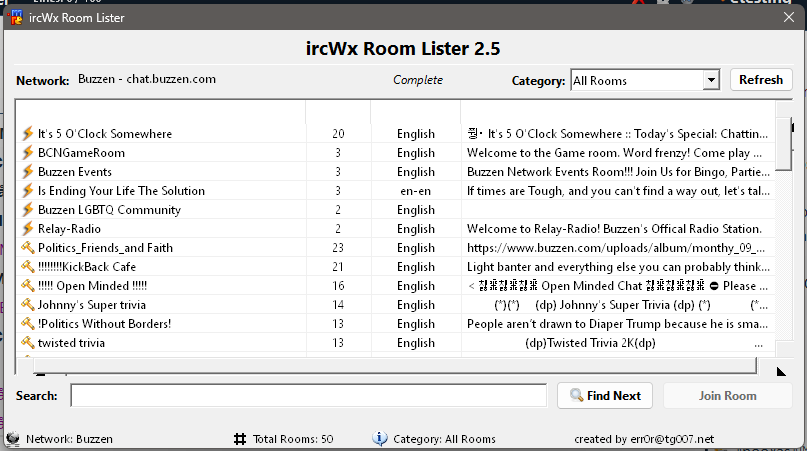
Choose Status → Rooms → Browse Rooms... to open the Room Lister. Use it when you want to discover active rooms rather than typing a room name.
Join a room
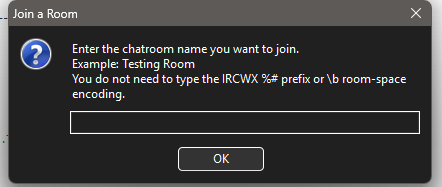
Choose Status → Rooms → Join a Room... and enter the normal room name. Friendly room names are accepted; IRCWX encoding is handled automatically.
You can also use:
/j room nameTo leave the current room:
/partAuto Join rooms
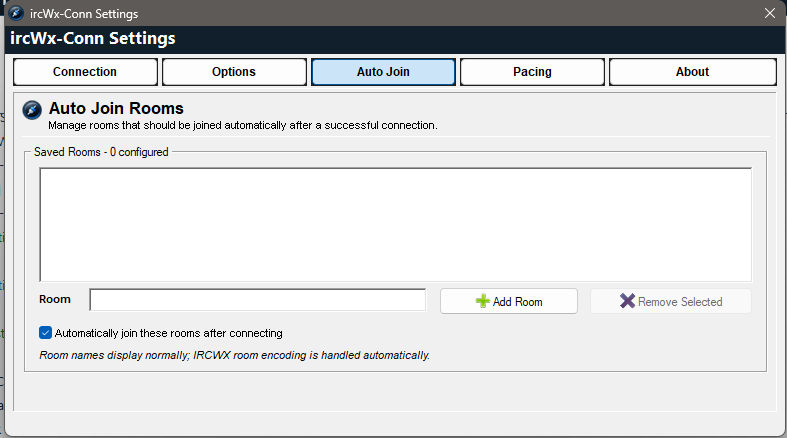
Auto Join remembers rooms you want opened after a successful connection.
- Open Settings → Auto Join or Status → Rooms → Manage Auto Join Rooms....
- Enter a room name and choose Add Room.
- Enable Automatically join these rooms after connecting.
- Use Remove Selected when you no longer want a room in the list.
You can also toggle AutoJoin for the room you are currently in from the room's right-click menu.
Create a room
If the network allows room creation, choose Status → Rooms → Create a Room.... The Create Room dialog collects the room identity, category and optional initial modes in one place.
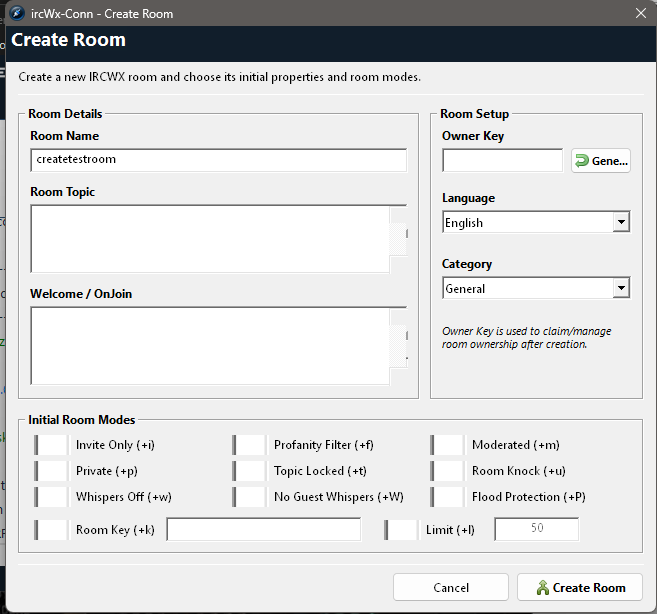
Initial room modes
| Option | Mode | Plain-English meaning |
|---|---|---|
| Invite Only | +i | Restricts normal joining to invited/allowed users. |
| Profanity Filter | +f | Enables the IRCWX room profanity filter. |
| Moderated | +m | Restricts who may speak according to room status. |
| Private | +p | Marks the room as private under IRCWX behavior. |
| Topic Locked | +t | Restricts topic changes to room management. |
| Room Knock | +u | Enables the IRCWX room-knock behavior. |
| Whispers Off | +w | Disables room whispers. |
| No Guest Whispers | +W | Prevents guest users from whispering. |
| Flood Protection | +P | Enables IRCWX join-flood protection. |
| Room Key | +k | Requires a room key/password. Enter the key when enabled. |
| Limit | +l | Sets a maximum room user count. Enter a positive number. |
Joining a keyed room
If you are already in the room context and need to provide a room password/key, use the room menu's Room Password... entry. ircWx-Conn sends the appropriate IRCWX key forms for compatibility.
Why do some room names look strange?
IRCWX uses a wire format where a room may look like %#My\bRoom. The \b sequence represents a space. ircWx-Conn normally hides this complexity and lets you work with My Room.
Advanced: raw room form
For compatibility, raw room tokens also work in commands:
/join %#My\bRoomFor normal use, prefer the friendly Join Room dialog or /j My Room.