Updates & Reset
Keep ircWx-Conn current, understand restart-required updates and rollback, and use Factory Reset without erasing unrelated mIRC or add-on data.
Update Center
Open Tools → Check for Updates... or Updates.... The Update Center compares your installed ircWx-Conn build with the current maintenance release.
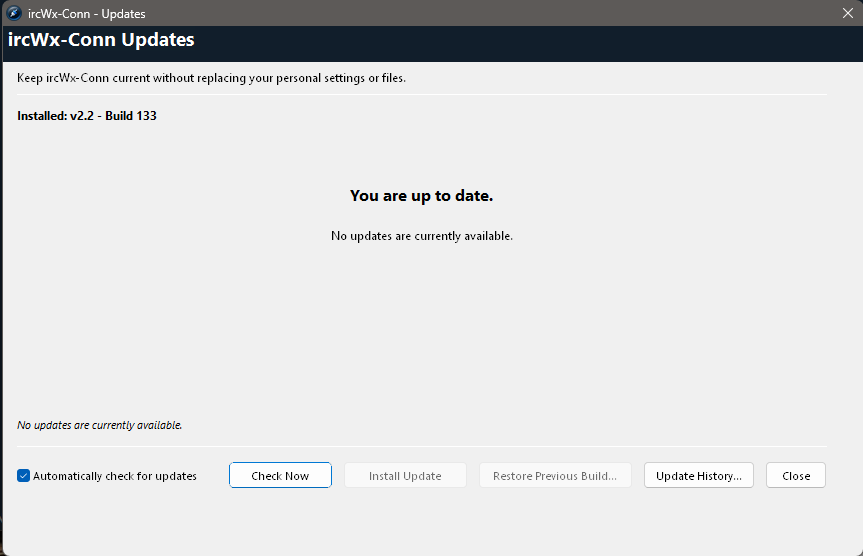
Normal update flow
- Choose Check Now.
- If an update is available, review its listed files/descriptions.
- Choose Install Update.
- If a restart is required, use Restart Now.
- After restart, reopen Updates. It should show the installed build and You are up to date.
What updates preserve
The ircWx-Conn updater is designed to update ircWx-Conn-owned program files while leaving personal files/settings outside that maintenance ownership alone.
- Third-party files in
addons\are user-owned. - Normal add-on loaded/unloaded state is not supposed to be destroyed by a maintenance update.
- Personal runtime settings are not part of the previous-build recovery copy.
mirc.exe. Update mIRC separately if you choose to change your mIRC version.Restore Previous Build
When the most recent update replaced ircWx-Conn program files, the updater can keep a recovery copy of the previous versions of those files. Restore Previous Build... uses that copy to undo the latest maintenance build.
A restore can require the same restart flow as an update.
Update History & Recovery Folder
Update History... shows the currently installed build, the most recent maintenance update and whether a previous build is available. Open Recovery Folder is mainly useful for support or advanced inspection.
Factory Reset
Choose Advanced → Reset ircWx-Conn... only when you intentionally want ircWx-Conn to return to its factory-owned defaults.
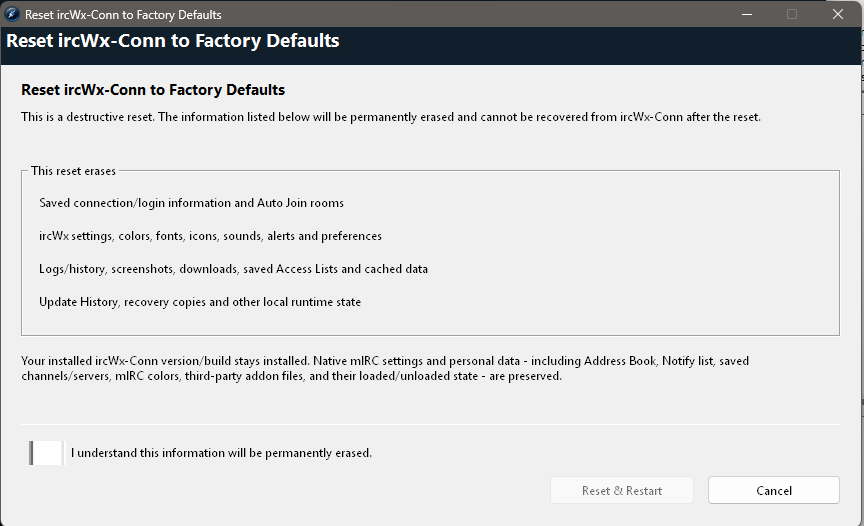
Factory Reset erases
- Saved ircWx-Conn connection/login information and Auto Join rooms.
- ircWx-Conn settings, colors, fonts, icons, sounds, alerts and preferences.
- ircWx-Conn logs/history, screenshots, downloads, saved Access Lists and caches.
- Update history, recovery copies and other ircWx-Conn runtime state.
Factory Reset preserves
- Your currently installed ircWx-Conn version/build.
- Native mIRC settings and personal data such as Address Book, Notify list, saved channels/servers and mIRC colors.
- Third-party add-on files and their normal loaded/unloaded state.
- Unrelated user/add-on variables outside the ircWx-owned namespace.
Finish pending restarts first
Factory Reset is intentionally blocked while an update or previous-build restore is waiting for restart, and while an updater operation is actively changing files. Finish the maintenance operation first.