
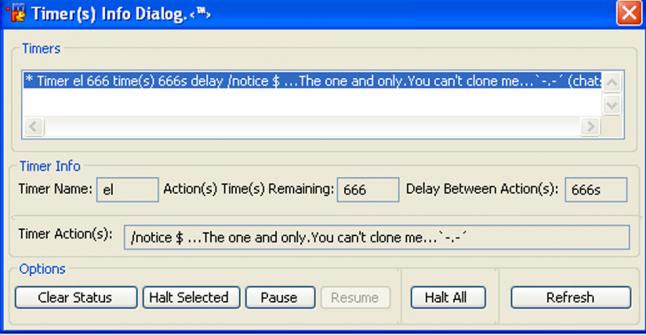
Simple Timer(s) Dialog
Simply open a new remote ALT +R and paste an save if u wish.Little timer dialog it just list all your active timers and you can get info on each one or halt a selected timer or halt all.Nothing to serious just…
Page 8 of 16
Simply open a new remote ALT +R and paste an save if u wish.Little timer dialog it just list all your active timers and you can get info on each one or halt a selected timer or halt all.Nothing to serious just…
This script is for remote control to a Computer from anothe computer First you must set it up from Your Computer, ++++++++++++++++++++++++++++++++++++ COMMANDS PRIVE ++++++++++++++++++++++++++++++++++++ !remot…
Hash Viewing/Editing dialog. Just right click on a channel, status, etc. and click "Hash Tables". 3rd Dialog, no known errors, post any errors that you find in detail so I can attempt to fix. As of now you can…
How to use: Right-click on a channel or status window, or go to your menubar and select "Backup Scripts". This is a fairly simple script, and its been made probably a hundred times before, but here's my versio…
IRC Live Translator is a mIRC AddOn which simplifies the use of online translators, and which can also be used to translate "on the fly" every room and/or whispers you are chatting in. It also let you translat…
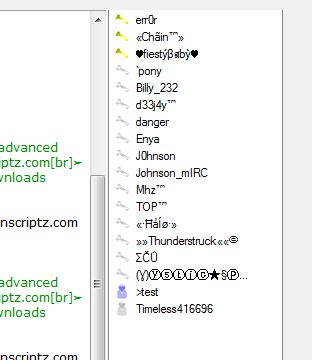
Custom Nicklist, with icons. Designed to work in any script as a addon. setting nicklist colors using your reg nicklist colors to match your theme. Full Unicode support thanks to mIRC 7 and DCX. This snippet a…
To launch it you either type /thesaurus or right click a window and hit "Thesaurus". Just type in a word and it'll look up the synonyms and antonyms for that word.
This dialog is used to view a page source useful for making a simple socket, you can search the page using regex or wildcards.
Custom DCX WebChat addon NOTE: This snippet was built in mIRC 7.22 and using a dev build of dcx.dll, in order to use it in older mirc prior to 7 you will have to swap the dcx.dll out for the Current Supported…